FlexRadio Mac SDR Settings for - WSJT-X, Gridtracker, & MacLoggerDX

FlexRadio Mac SDR Settings for - WSJT-X, Gridtracker, & MacLoggerDX

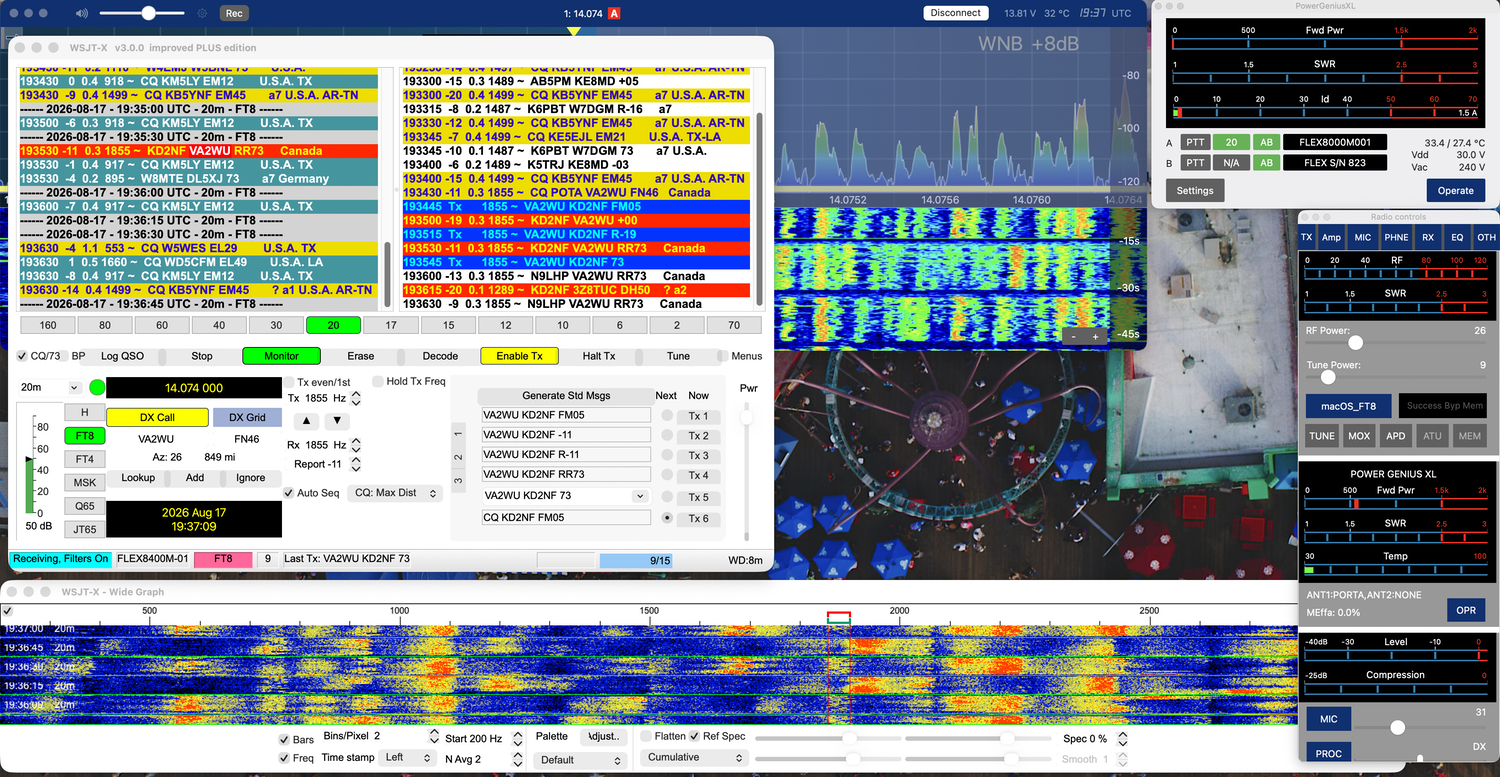
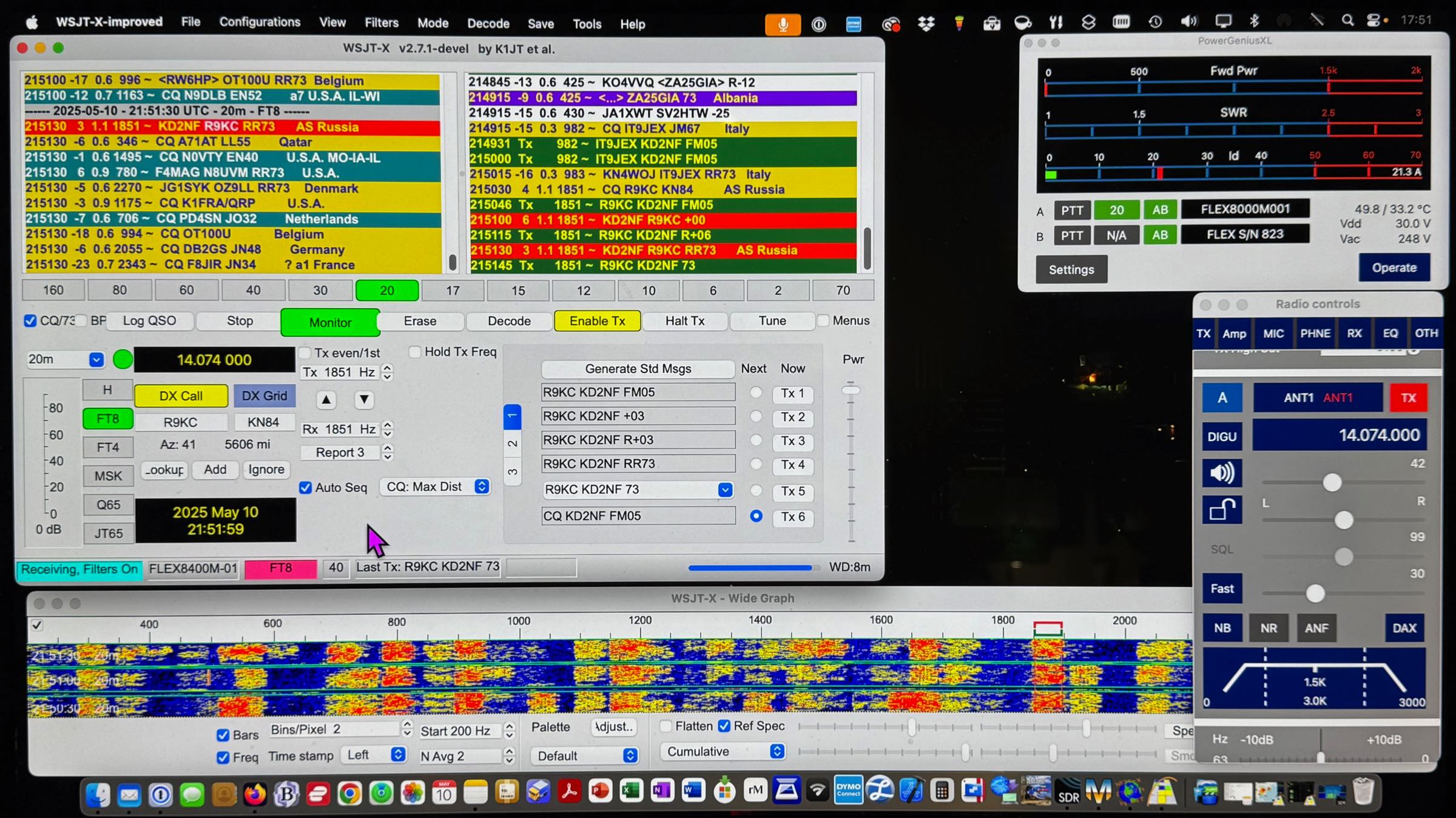
Mac Studio Display Screen with SmartSDR, WSJT-X Improved, and GridTracker2 app windows. MacLoggerDX is running but hidden from the display. FlexRadio Common Audio is now used instead of the Mac app LoopBack.
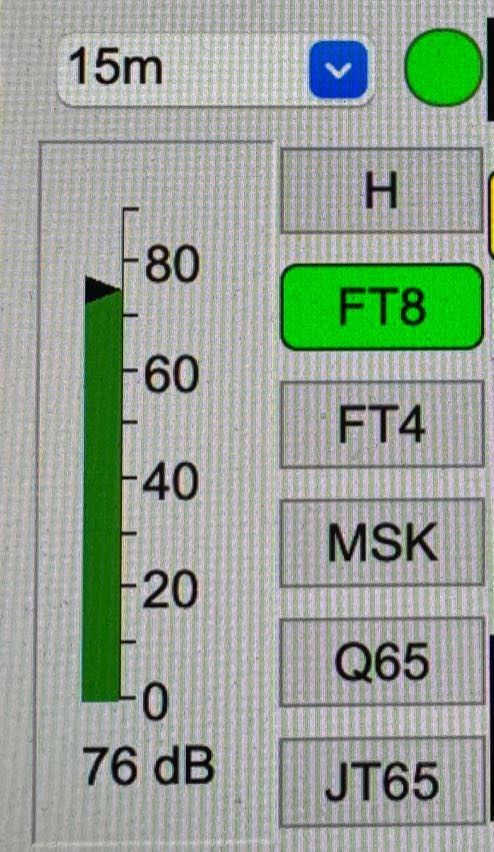
Set the FlexRadio AGC-T on a quiet portion of the band without NB on so that the WSJT-X receive monitor scale registers about 20% on the scale.
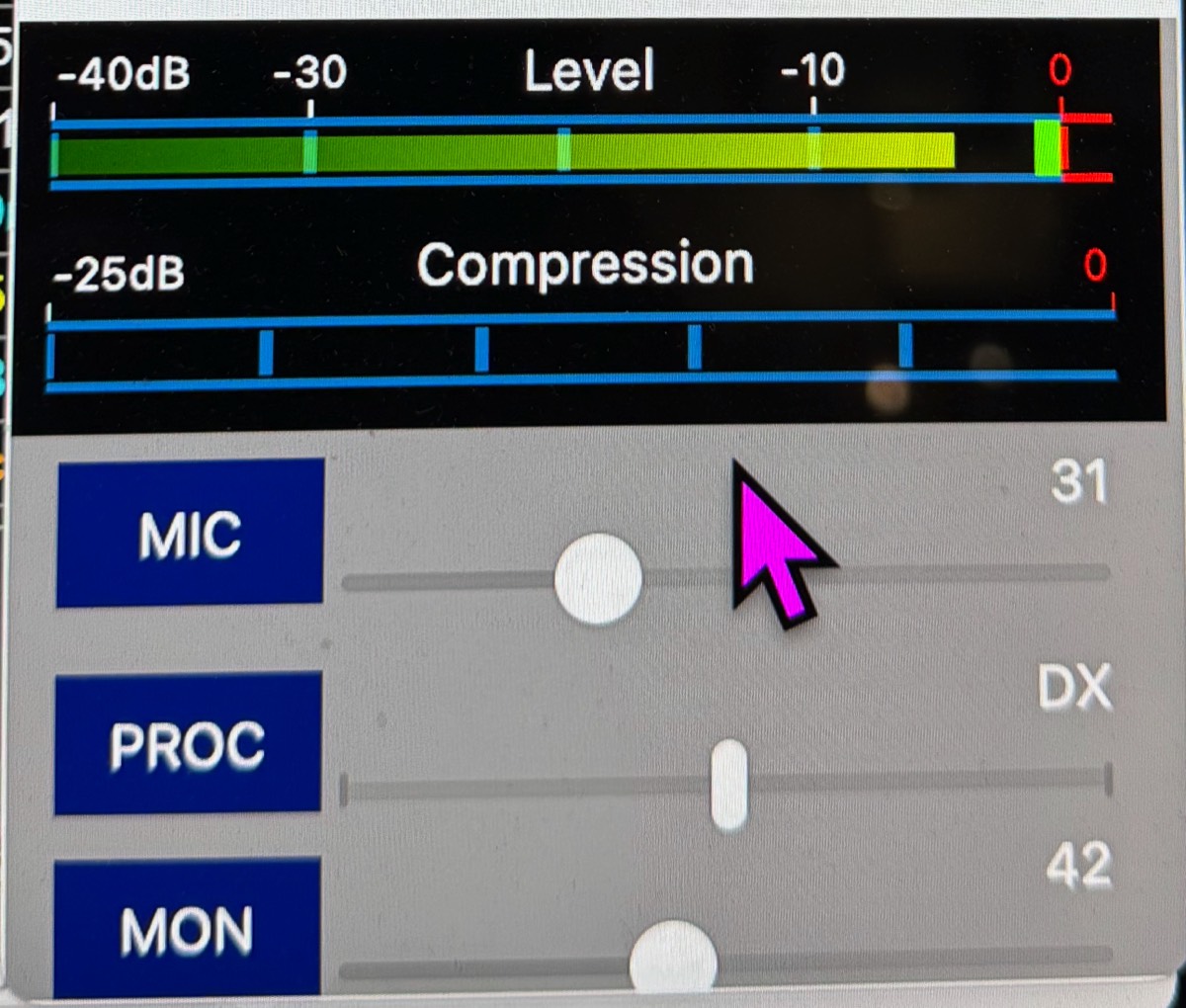
SmartSDR (as referenced directly above): Adjust the “Power Slider” in WSJT-X so that it is almost to the top (100%) and make sure the SmartSDR TX Level is below the last red bar. If the FT8 audio is distorting it will actually sound distorted and will have a raspy buzzing sound. Make sure it is a clear tone. The MIC control is meaningless with WSJT-X.
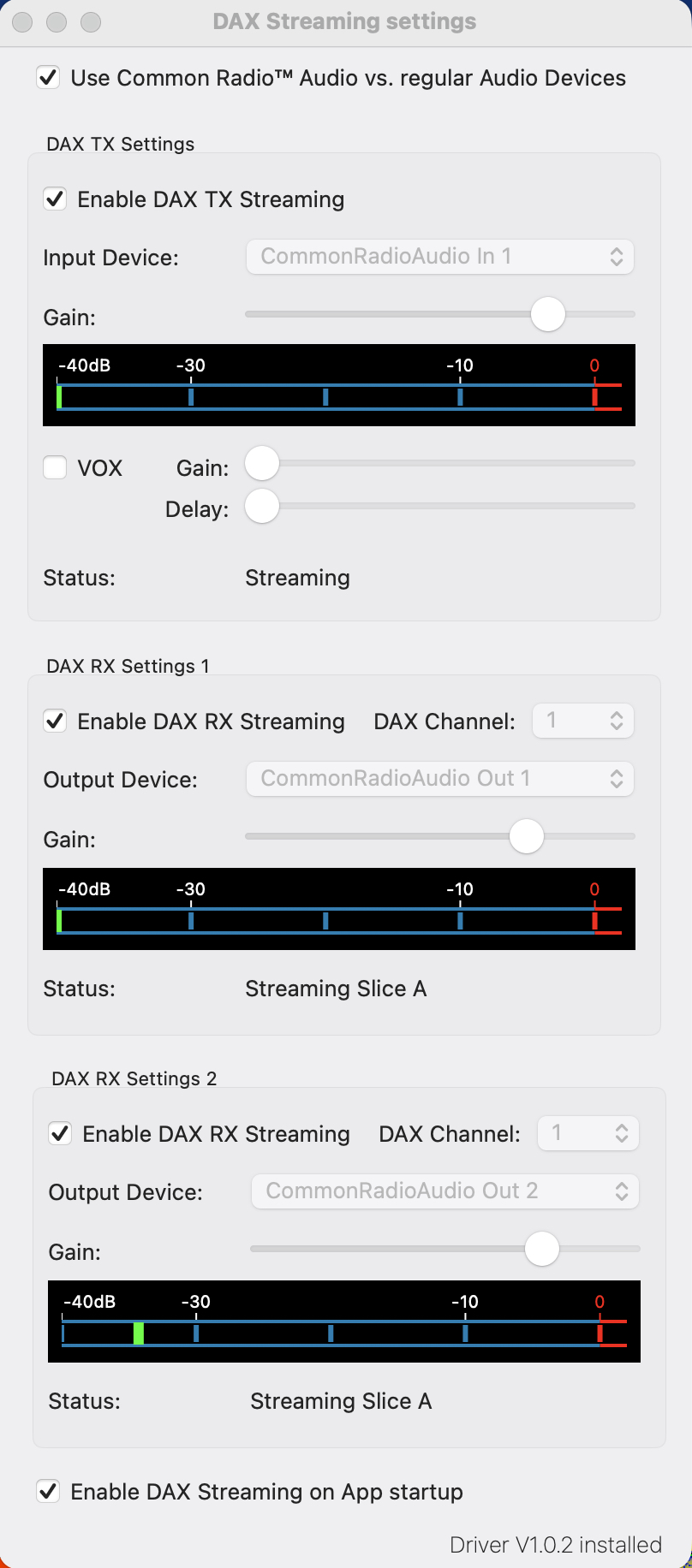
SmartSDR DAX RX/TX: Make sure RX is high enough to receive but not high enough to cause WSJT-X to distort and redline.
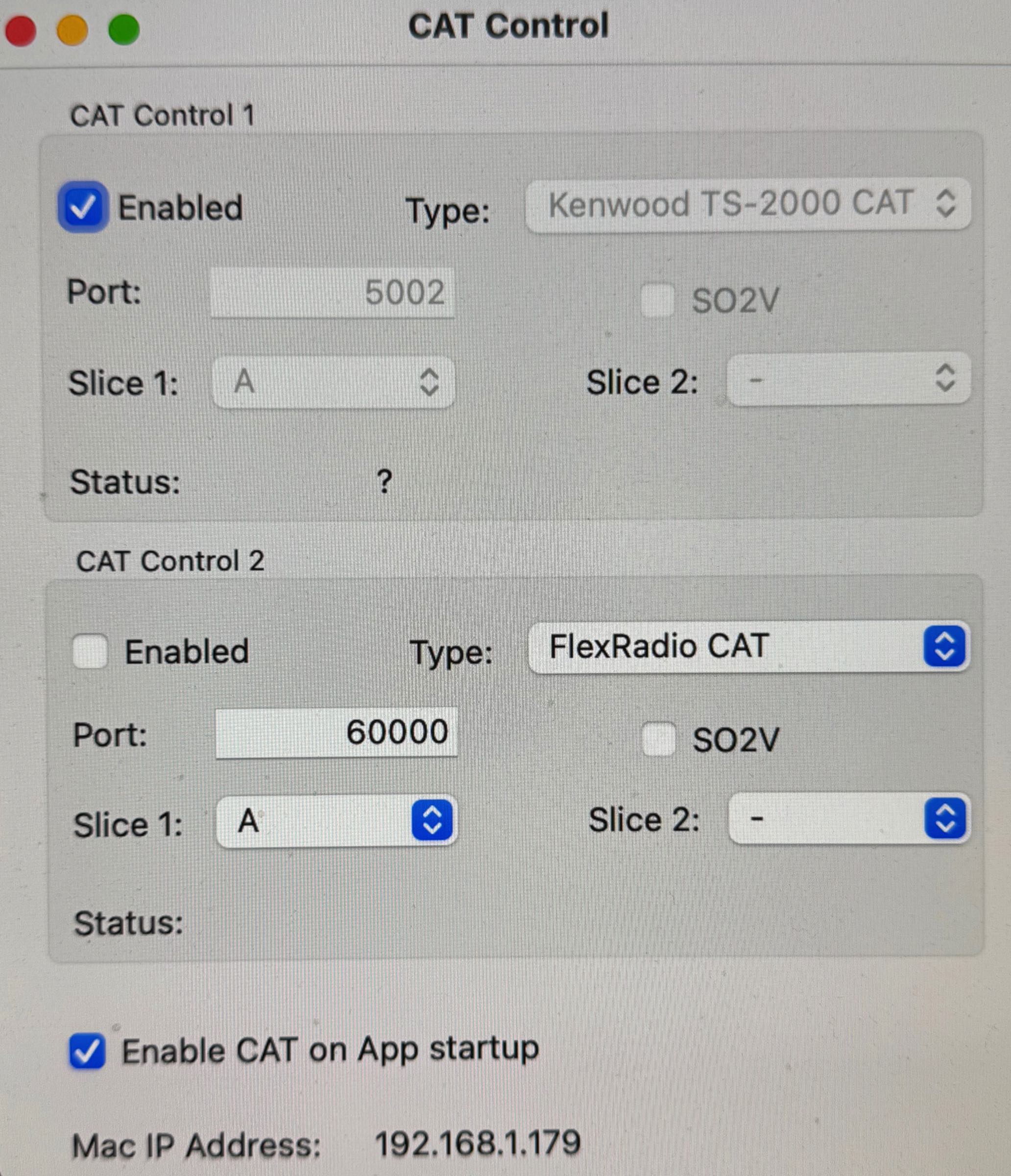
SmartSDR CAT: Since we are using the IP address of the 8400M as the server address in the WSJT-X radio settings, nothing else needs to be set except it needs to be enabled.
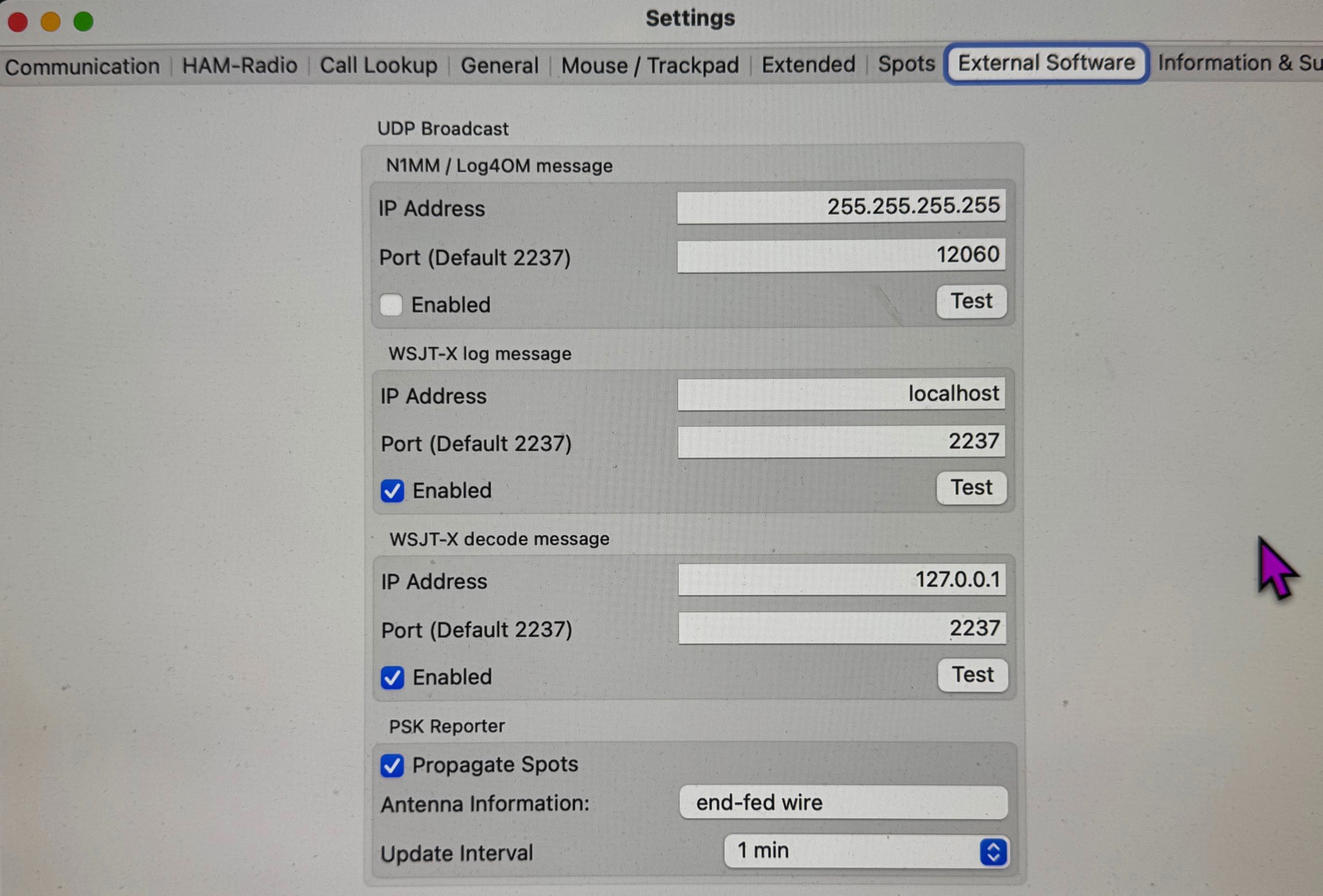
SmartSDR External Software Settings: This will vary by external software used.
WSJT-X Main Window on a Mac Studio display:
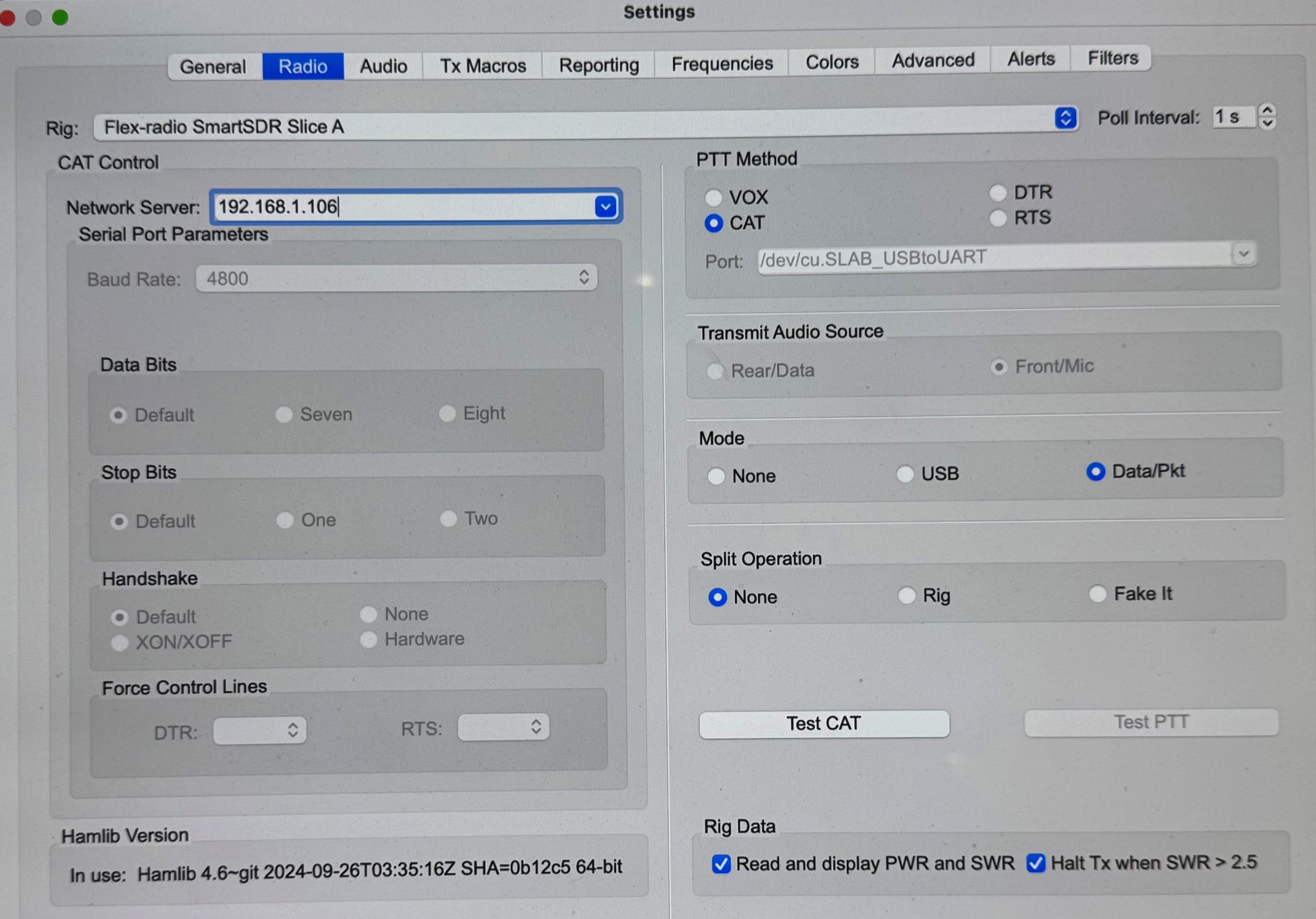
WSJT-X Radio Settings: Network server is set to the FlexRadio 8400M IP address (may change if DHCP is used). Here it is 198.168.1.106. The radio is to Flex-radio SmartSDR Slice A.
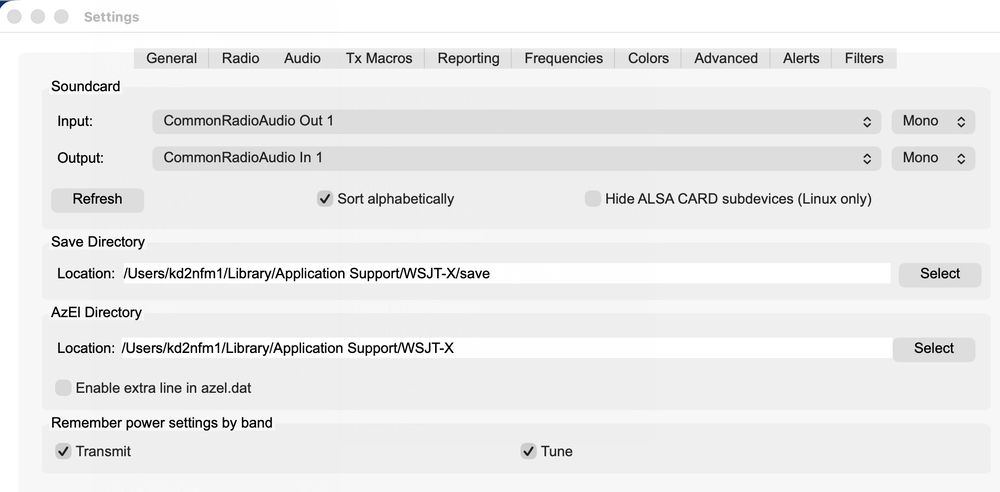
WSJT-X Audio Settings: Use DAX RX & DAX TX as assigned to Common Audio channel names.
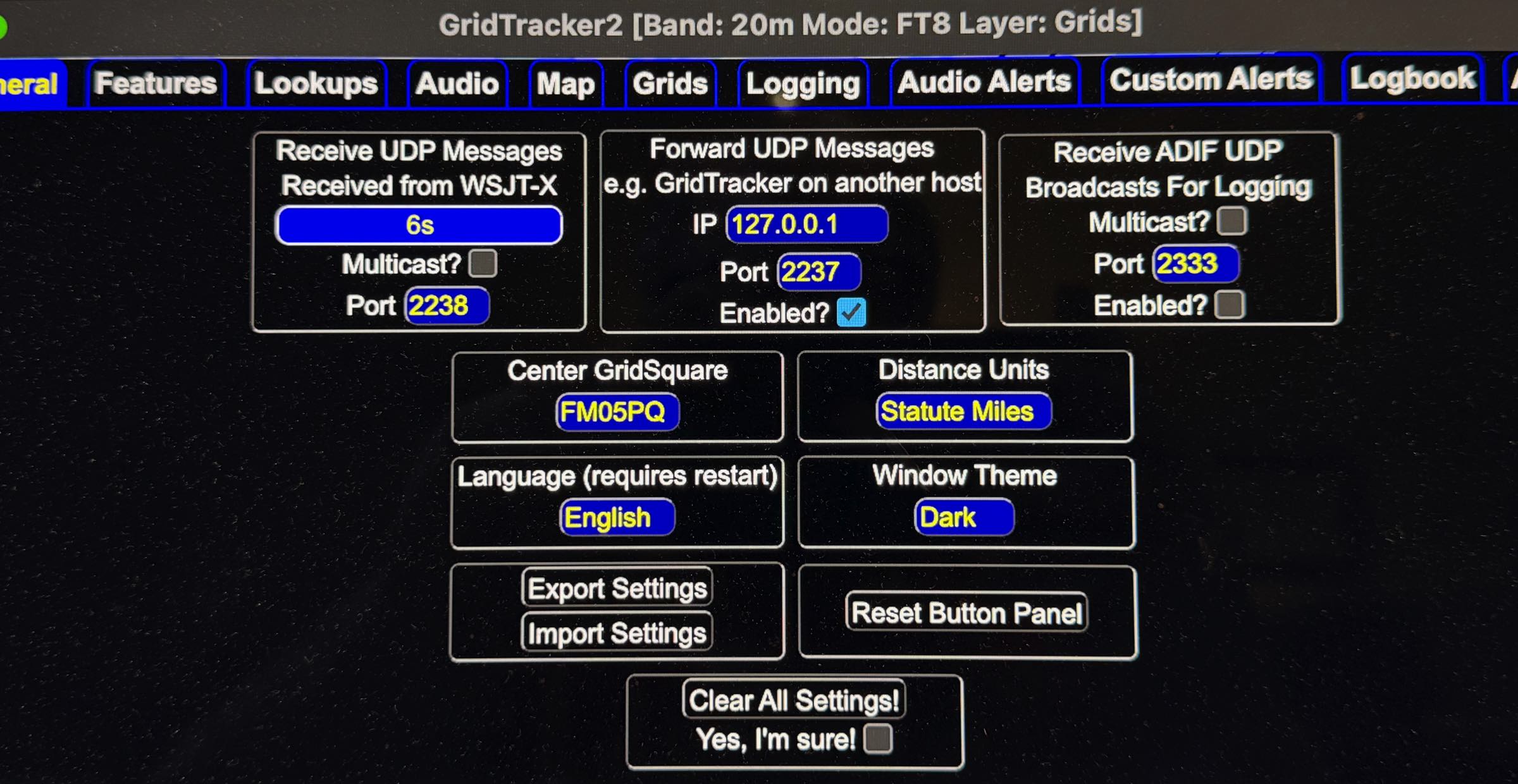
GridTracker2 UDP Settings: 2238 comes from the 8400M and 2237 forwards log data to MacLoggerDX for logging.